AI & Automation
5 Simple Business Automations That Save Time & Money
Learn 5 proven automation workflows that increase ROI and save hours weekly. Real examples from content, leads, and client onboarding processes.
Daniel Canosa ·
TL;DR: Five simple automations covering content, lead generation, onboarding, fulfillment, and finance can save hours every week without requiring any code. The pattern is the same each time: identify a repetitive process, standardize it, then automate the parts that do not need human judgment. The simplest automations consistently deliver the highest ROI.
Key Takeaways
- The simplest automations (like a one-click Google Drive folder creation) often free up the most mental space and deliver the highest return.
- Automating lead capture into a CRM does more than save time; it makes your data usable by enabling pattern recognition and source tracking.
- You cannot automate a process you have not standardized first. Manual proof of the workflow must come before any automation work.
- Once you have a solid automation foundation in place, extending it to new use cases is fast because you reuse existing components.
- The real value of automation is not just time savings; it is the mental space you reclaim by eliminating repetitive decisions and admin work.
I have built hundreds of automations at this point, for clients and for my own business.
And the pattern I keep seeing is the same every time: the simplest automations have the biggest return.
Not the flashy ones. Not the AI-powered ones. The boring, repetitive ones that were quietly eating 30 minutes of your day.
So I want to share five automations I actually run in my own business, one for each area, content, leads, onboarding, fulfillment, and finance.
Bear in mind, these are not demo setups I built for a video. These have been running for months. And honestly, I regret not building some of them sooner.
The Content and Lead Generation Side
Let's start with content, because this is where I see a lot of people waste mental energy on tasks that feel productive but are basically just admin work.
I publish around two videos per week. Every time I record one, I used to have to manually create a Google Drive folder, name it correctly, upload the files, and then email my editor with the Notion page link and the Drive link.
Every single time.
I was doing that for a while, and I hate it. So I built a button directly inside my Notion YouTube videos database.
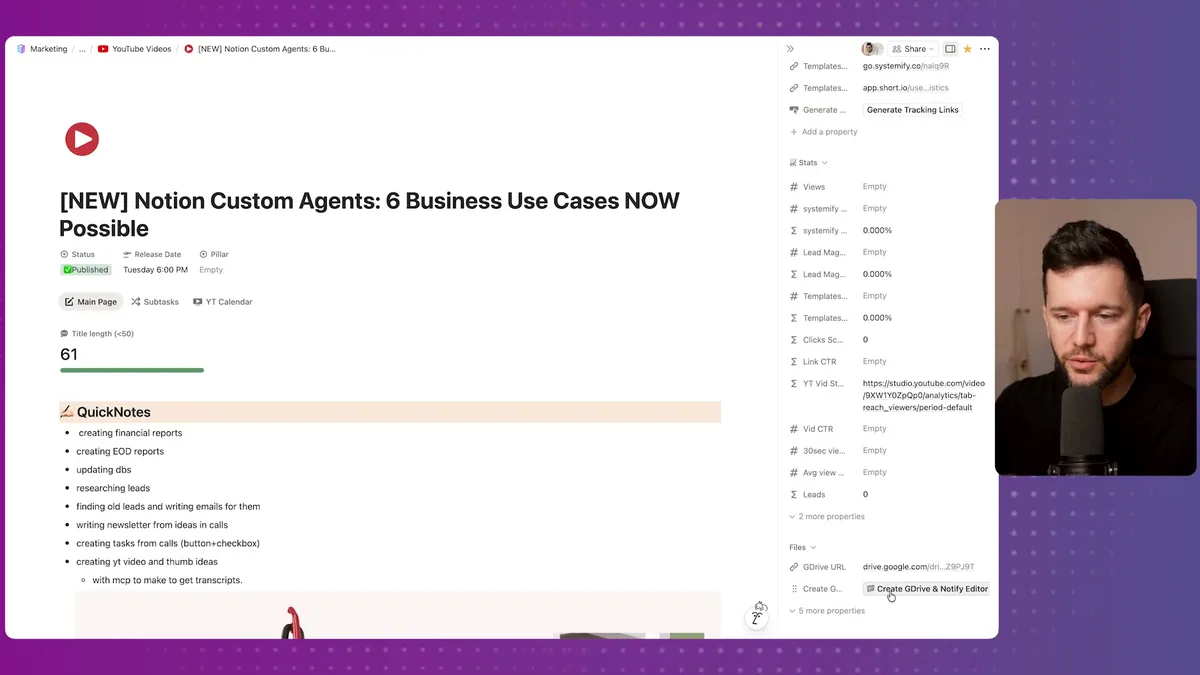
That button is called "Create Google Drive and Notify Editor." When I click it, it sends the video information to Make.com, which creates the folder with the right title, updates the Notion record with the Drive link, moves the video to "ready to edit," assigns my editor, and sends her the Notion page and the Drive link via email.
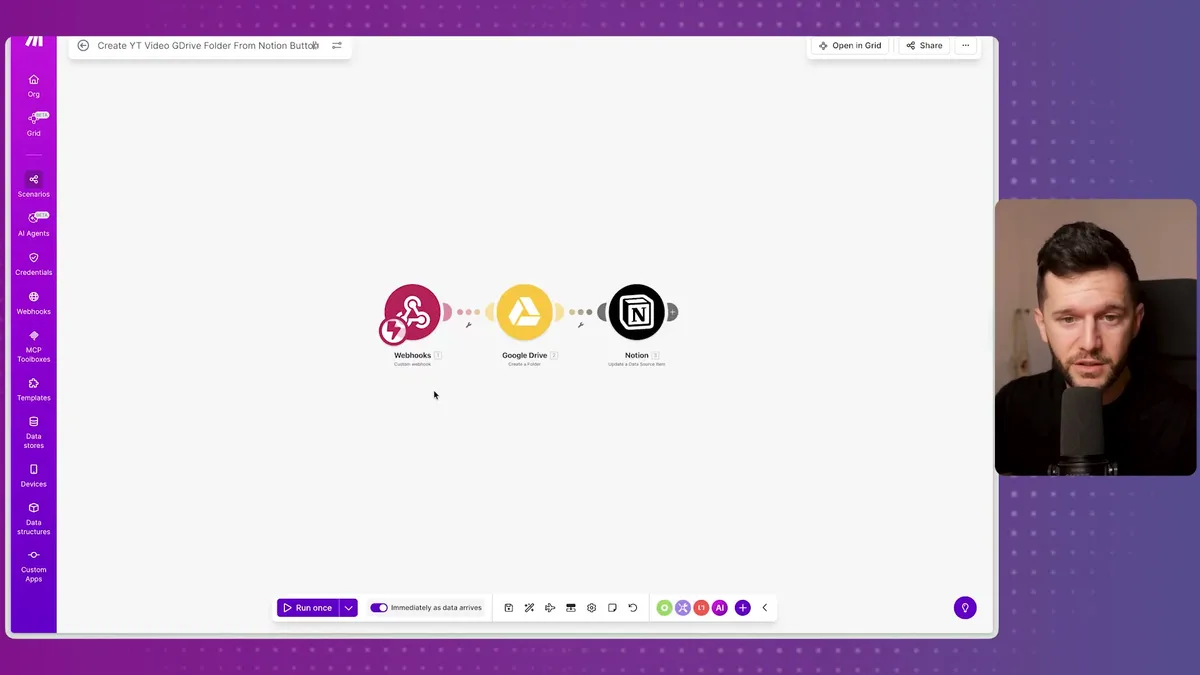
Three steps in Make. One click on my end. That is the whole thing.
What I used to do manually now takes me zero seconds. I click the button, upload the raw files into the folder that was already created, and move on.
The setup is simple enough that I am almost embarrassed by how long I waited to build it.
Now for lead generation, which is honestly where I see the most painful manual processes when I talk to service business owners.
The situation is this: someone books a call with me through my calendar. They answer qualification questions. And I want to do several things with that data automatically:
- Create a record in my Notion CRM with all their answers
- Track whether they came from my newsletter or from cold email
- Send them a welcome email
- Update their status in my newsletter so I know they have booked a call
I am surprised by how many people are still copying and pasting this information manually every time a lead books. I mean, that is not just time, that is also the kind of task that introduces errors and slips through the cracks when you are busy.
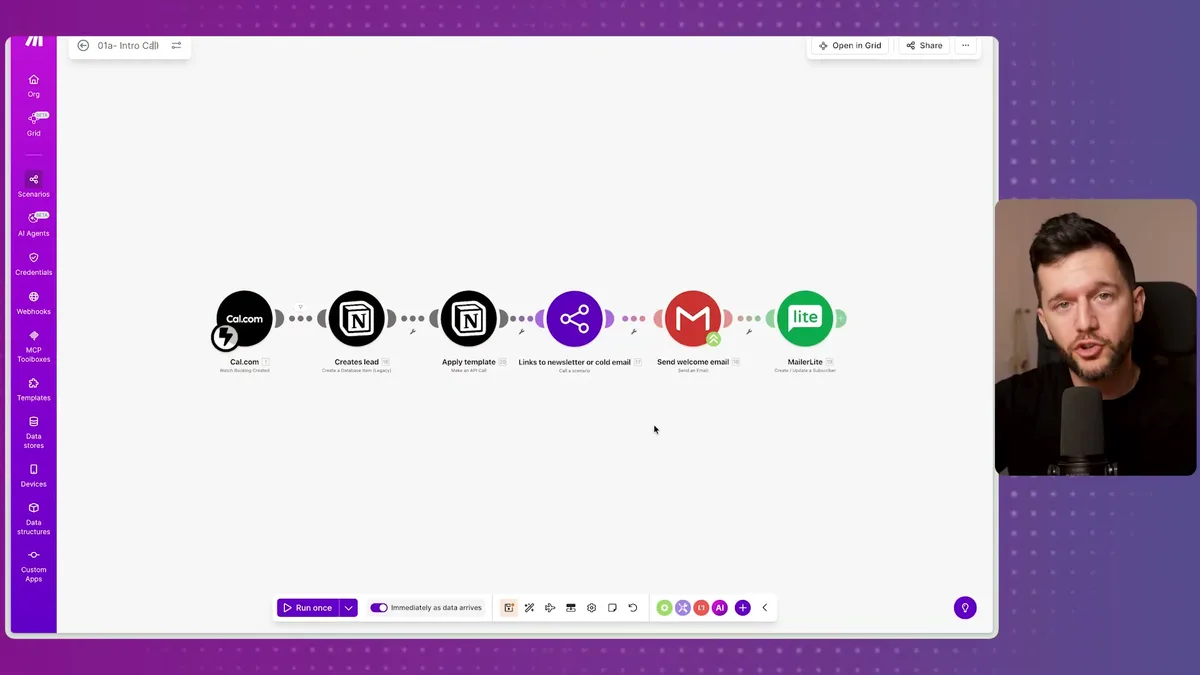
Because I have this data structured in Notion, I can actually see patterns. Right now I can pull up that 85 leads booked from the newsletter. That kind of visibility only exists because the data is being captured consistently and automatically.
The automation is not just saving time. It is making the data usable.
Onboarding and Fulfillment
This is the part of the business where most service providers have the most chaos, because every client feels slightly different and it is easy to convince yourself that you cannot systematize it.
In my opinion, that is usually not true.
For client onboarding, the steps are always the same:
- Send the contract
- Receive the signature
- Send the first invoice
- Receive the payment
- Send the onboarding email with next steps
When I first started, I was doing all of this manually. And not just me, I see this with most people who reach out to us. They are building the workflow from scratch every time a client signs.
Now I have a button inside the client's record in Notion. I fill in the payment details, total price, deposit amount, monthly installments, number of payments, and then I click the button.
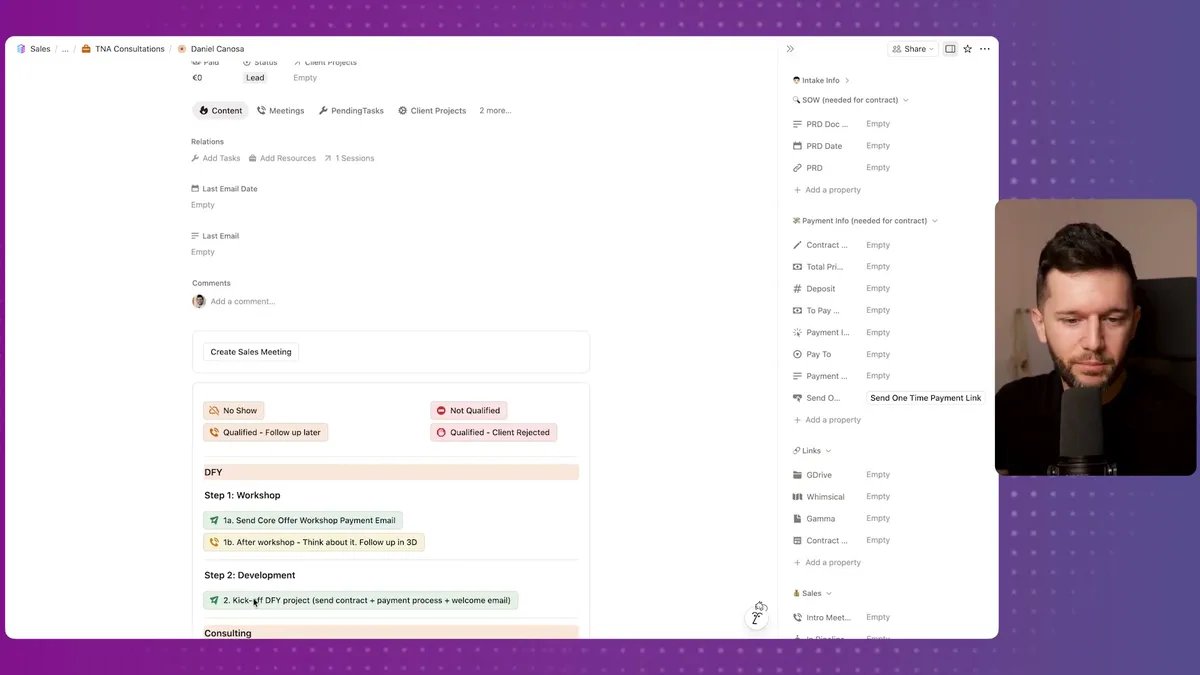
From there, the automation handles the contract, waits for the signature, creates the payment link based on the configuration I set, sends it to the client, and once they pay, it does a few more things automatically:
- Adds the invoice to my accounting software
- Does a currency exchange so I can see income in euros (I charge in USD)
- Logs it in my financial database
- Creates a Slack channel for the client
- Sends the client an onboarding email with all the next steps
Bear in mind, this workflow took some time to build. But I have been using it for years, so the time investment paid back fast.
The key was that I had already proven the workflow manually before I automated it. You cannot automate a process you have not standardized yet. That is the order that matters.
Now for fulfillment, which for context is where we help clients build their Notion workspaces and layer in automations and AI on top of them.
The problem we were solving is: how do you make sure every project gets the same core tasks done, regardless of who is working on it or how busy the week is?
The answer is not discipline or checklists that live in someone's head. The answer is automating the task creation itself.
We use native Notion automations for this. When a project moves to a new status, Notion creates the corresponding tasks automatically, with due dates already set.
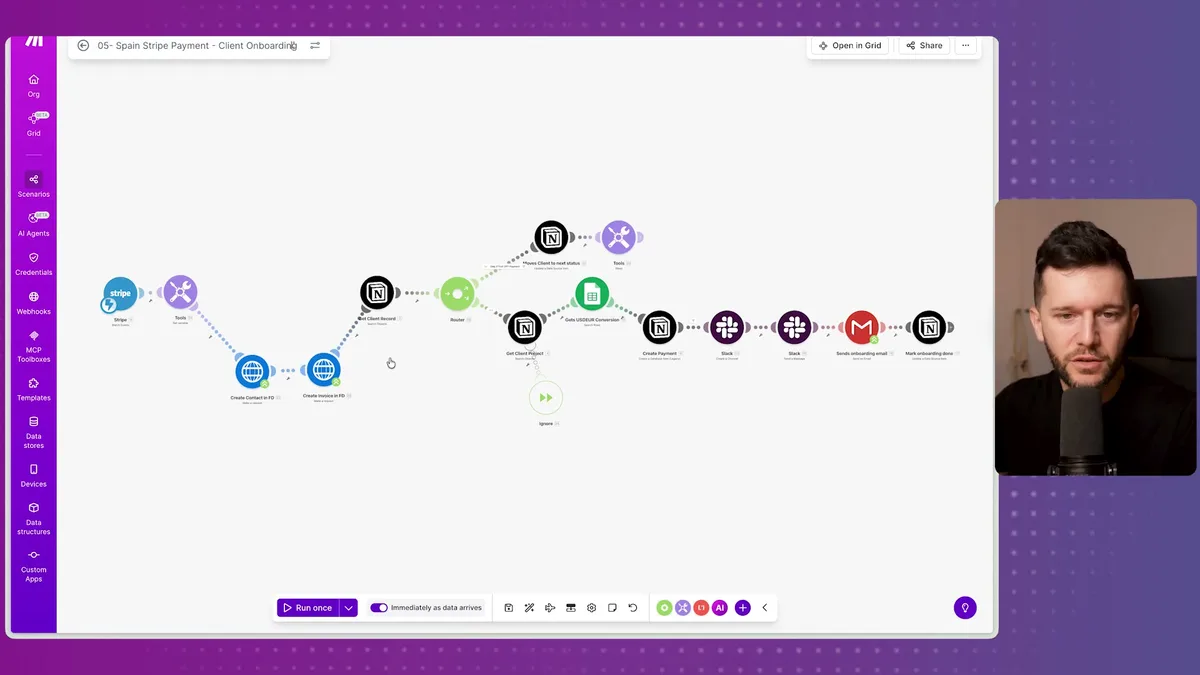
For example, when a project hits "Kickoff" status, it creates tasks like:
- Present scope to the client
- Watch the kickoff call recording
- Ask the client to share logins
- Verify we have been invited to their Notion workspace
And so on for every stage.
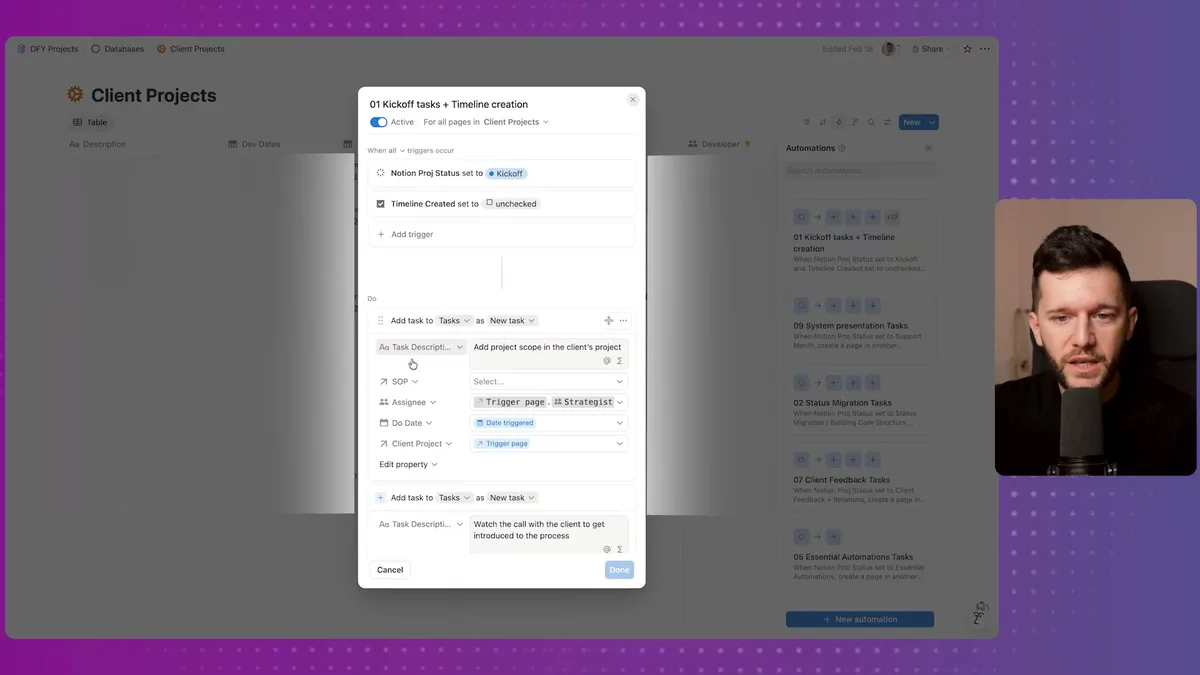
Of course, real projects have ad hoc tasks. I am not pretending otherwise. Let's say a client has a specific integration we have never built before, we just add those tasks manually.
But the core tasks, the ones that have to happen every time, those are created automatically. This means whoever is on the project always has a starting point, and nothing critical gets missed just because someone forgot.
This is not all rainbows. It took real work to standardize our process before we could automate it. But once we did, the system basically runs itself for the repeatable parts.
The Finance Automation That Took Me Too Long to Build
This one is simple, and I mention it last because it is the one I most regret not building sooner.
Here is the situation: during client projects, we often discover additional things to build. Small add-ons. Sometimes a few hundred dollars. Nothing that requires a full contract, just a payment link for a specific amount.
What I used to do was go into Stripe, manually create a payment link, copy it, and send it to the client.
Every time. For amounts like $200 or $350.
It is not a huge task individually, but it is friction. And honestly, it is the kind of thing that either delays the sale or just feels unprofessional when you are scrambling to do it in real time.
Now I have a button in the client's Notion record. I type in the amount. I click the button. A confirmation dialog appears: "This will send an email to this client to pay this amount. Are you sure?"
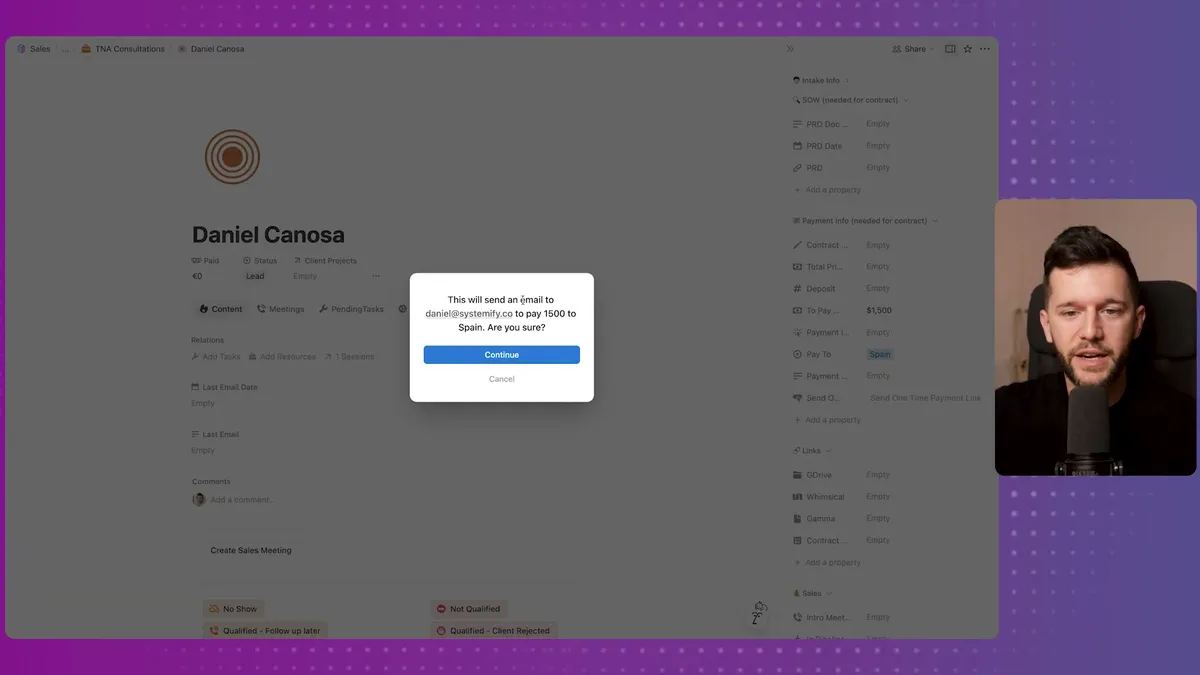
I click continue. Make.com fires, creates the Stripe payment link for that exact amount, and sends it to the client via email.
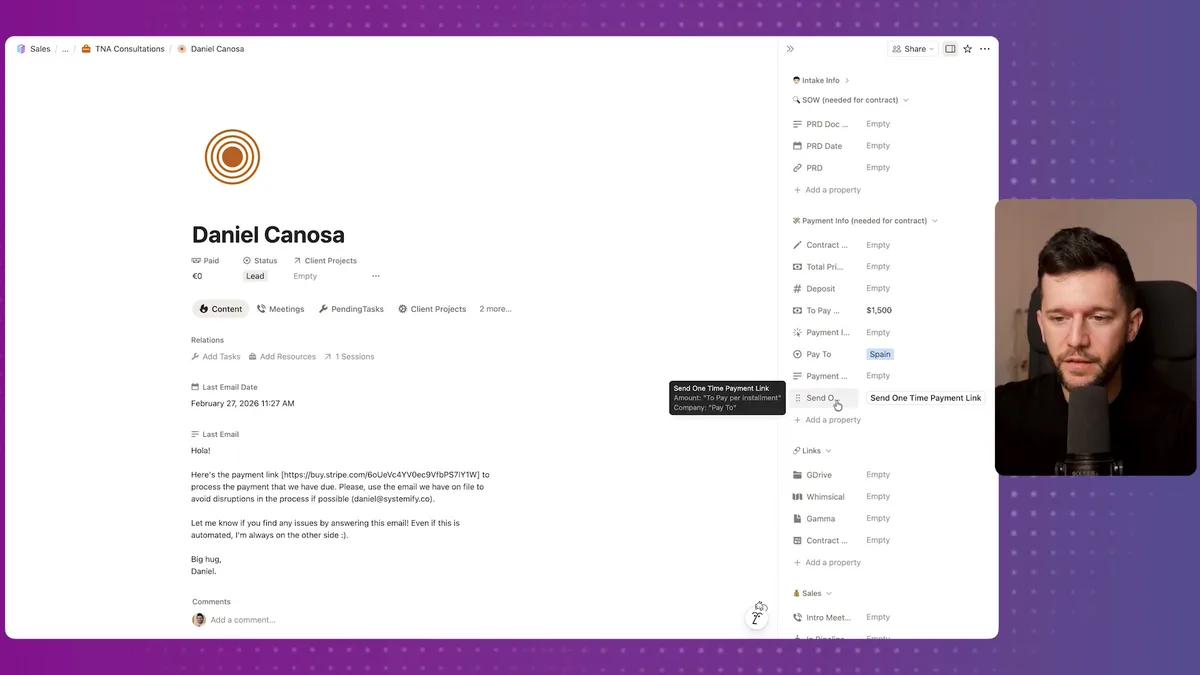
That email lands in my inbox too so I have a record. The whole thing takes maybe five seconds.
The setup is genuinely simple. A button in Notion sends data to a webhook in Make. Make creates the payment link in Stripe and sends the email. That is it.
I reused the same foundation I had already built for the main onboarding contract flow. So the only thing that was new was configuring it for this specific use case.
This is actually the lesson I want to leave you with.
Once you have a solid automation foundation in place, extending it is fast. The first automation you build is the hardest. After that, you are often just reusing what you already have.
The five automations I just walked through cover five different business areas, but they share the same underlying logic:
- Identify the repetitive process
- Standardize it so it is repeatable
- Automate the parts that do not need human judgment
Bear in mind, none of these automations required me to learn to code. All of them run on Notion and Make.com. And all of them started because I was doing something manually, hated it, and finally decided to fix it.
The question worth asking yourself is: what process are you repeating right now that you hate doing?
Because that is probably where your highest ROI automation is hiding.
It does not have to be complex. The simplest ones, like that Google Drive folder button, are often the ones that free up the most mental space.
And mental space, in my opinion, is the real thing you are buying when you automate.
Frequently Asked Questions
Do I need Make.com specifically, or can I use Zapier or n8n?
Any automation platform works. Make.com, Zapier, and n8n all support webhooks, Notion integrations, Stripe, and email sending. The logic is the same regardless of the tool. Make.com is used here because of its visual workflow builder and pricing, but the automations described can be replicated on any platform.
Which automation should I build first?
Start with the one you hate doing the most. That is usually the task with the highest ROI because you will actually use the automation consistently. For most service businesses, lead capture or client onboarding are good starting points since they happen frequently and involve multiple repetitive steps.
How much technical skill do I need to set these up?
None of these automations require writing code. They all run on Notion buttons and Make.com (or equivalent no-code tools). The main skill you need is the ability to clearly define your process step by step. Once the process is standardized, connecting the tools is straightforward with drag-and-drop workflow builders.
Ready to see where your business stands with AI and automation? Take our AI Readiness Scorecard to find out.
Get more like this in your inbox
AI implementation insights for service business founders. No fluff.