AI & Automation · Notion
Notion Workers: Complete Guide to Native Code Automation
Learn what Notion Workers are, how they compare to Make.com, pricing, and whether you should use them for your business automation needs.
Daniel Canosa ·
TL;DR: Notion Workers are hosted code blocks that run inside your Notion workspace. They can replace tools like Make.com for simple automations and are significantly cheaper when paired with Notion AI agents. But they require a Business plan, offer no visual interface, and are not worth migrating to if your automations are already working elsewhere.
Key Takeaways
- Notion Workers are code you host inside Notion, not a visual automation builder. They work by making API calls, the same as Make.com or Zapier, just without the drag-and-drop interface.
- Workers are only available on Business and Enterprise plans and cost Notion credits on top of your subscription, running at $10 per 1,000 credits.
- The cost is not as scary as it sounds. Based on my own workspace, 1,000 automations per month via Workers costs roughly $2, compared to the $9 I pay Make.com now.
- The biggest real-world use case is pairing Workers with Notion AI agents. A Worker reduced my agent's credit usage from 43 credits per run down to 7. That is a serious difference at scale.
- For complex automations already running in Make.com, leave them there. The visual interface matters more than you might think, especially if you are not reading code every day.
What Notion Workers Actually Are (And What They Are Not)
Notion Workers are not a new kind of automation builder. They are not a Make.com competitor in the visual sense. What they actually are is a way to host and run code directly inside your Notion workspace.
To understand why that matters, look at what any automation tool is really doing under the hood.
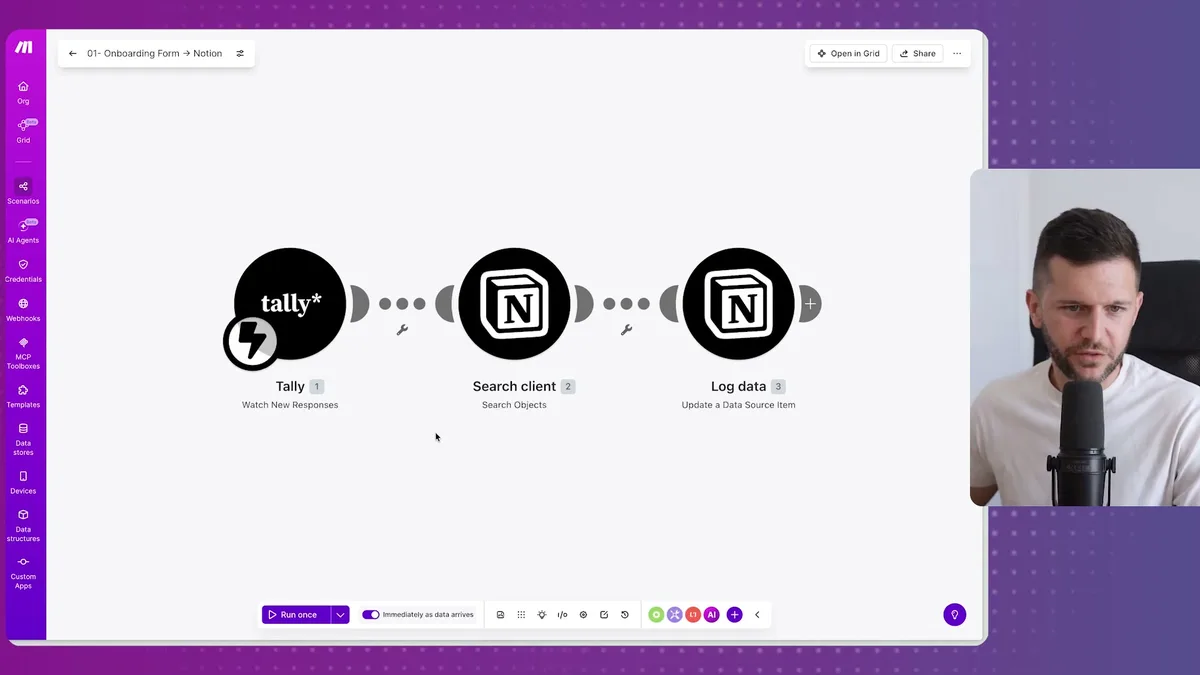
Every bubble in a Make.com scenario like this one is basically an API call.
Tally sends data somewhere.
Notion receives it.
Something else gets updated.
The visual interface is just a way to represent code without writing it yourself.
Notion Workers skip the visual layer entirely. You write the code, or more practically, you ask an AI to write it for you, and you deploy it into your Notion workspace through the command line.
So why does this matter?
Because code is deterministic.
It does not think, reason, or infer.
It just runs.
And that makes it extremely cheap to execute compared to AI-based automations that require tokens for reasoning at every step.
Now, bear in mind that Workers are not available on every plan.
You will need a Business or Enterprise subscription to use them at all.
This is clearly Notion pushing people toward their higher-tier plans, and honestly, that is worth acknowledging before you get excited about the feature.
Workers also cost Notion credits separately from your subscription.
The rate is $10 per 1,000 credits.
That scared me a little when I first read it, so I actually ran the numbers.
I audited my own Make.com workspace.
I run about 1,000 automations per month.
If I moved those to Workers, it would cost me roughly $2 a month.
I am currently paying $9 per month to Make.com.
So the pricing is not unreasonable, especially as your volume grows and you compare it to what Make.com charges at higher tiers.
How to Set Up Notion Workers Without Being a Developer
The setup process looks intimidating because it involves the terminal and a command line interface. But in practice, if you are using Claude Code, the whole thing takes a few minutes and you do not need to understand what is happening at the code level.
Here is where you find Workers once you are on the Business plan.
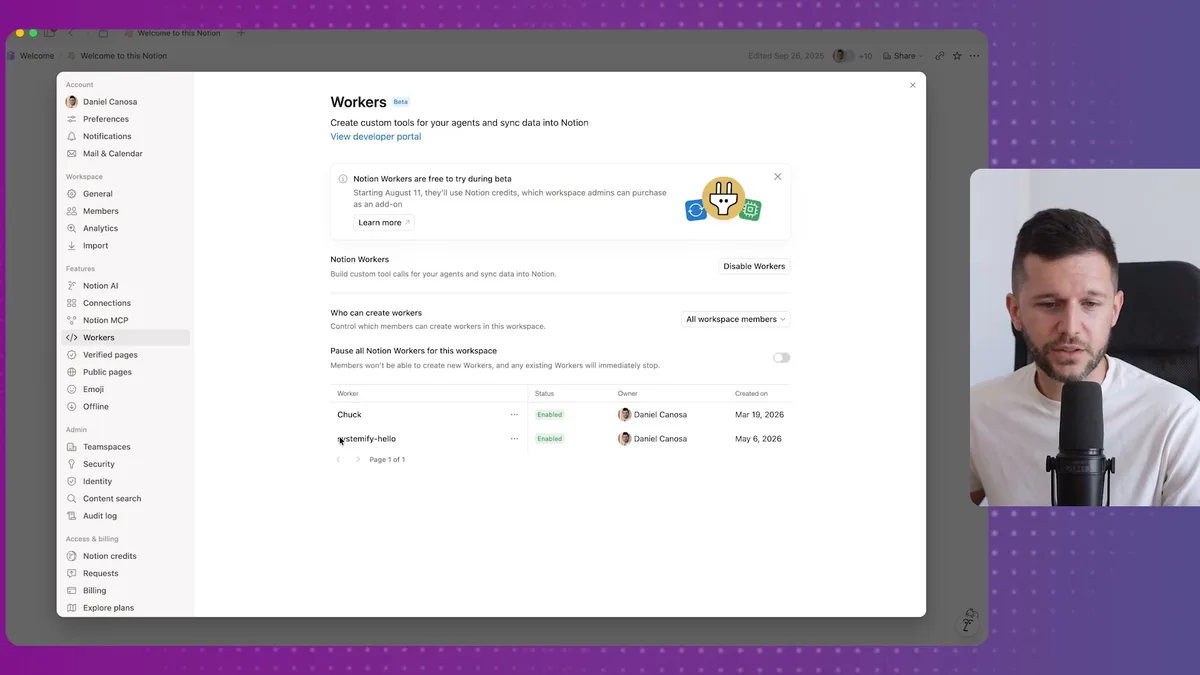
The Workers panel lives inside your Notion settings.
You can see existing workers here, but you cannot create them from this interface.
That is because Workers are a developer tool, and they get deployed through the Notion CLI, which stands for command line interface.
Again, do not let that phrase send you running.
The only thing you actually need to do is use Claude Code.
Claude Code is available inside VS Code as an extension, or you can use the standalone Claude desktop app.
Either way works the same.
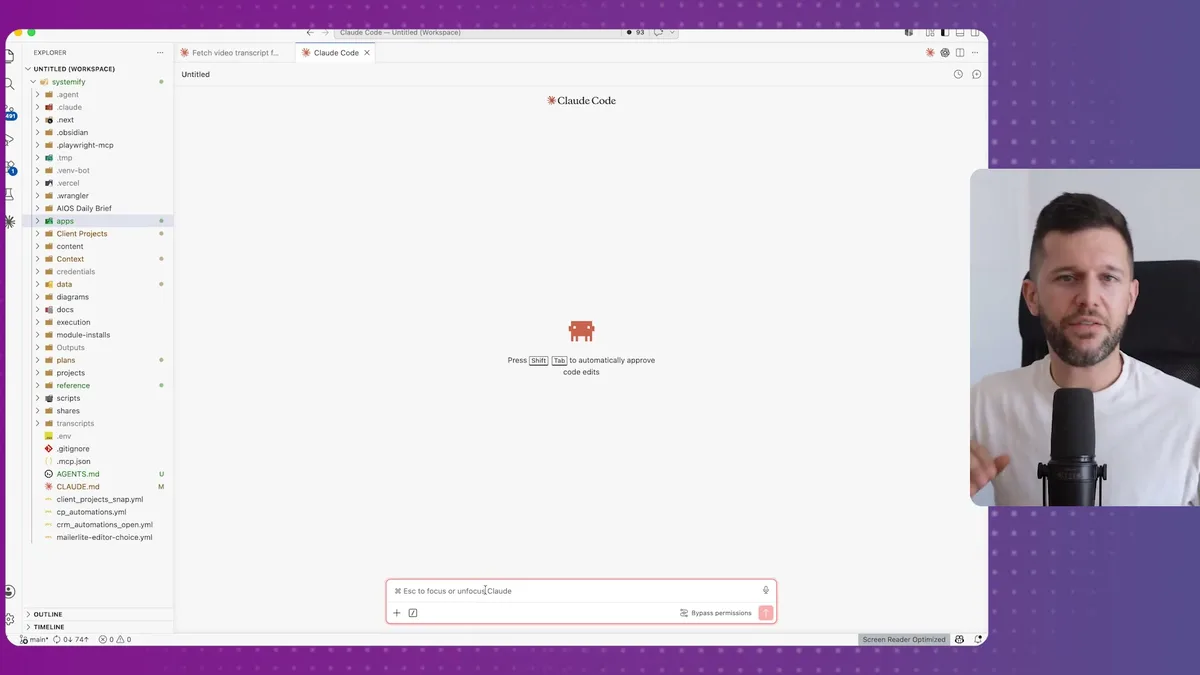
Once Claude Code is open, the setup comes down to two things.
First, give Claude Code access to your Notion API key.
If you do not know how to get one, just ask Claude Code directly. It will walk you through it.
Second, paste in the link to Notion's official Workers Template repository on GitHub.
Tell Claude Code you want it to install the template for your workspace.
It will handle the CLI commands, authorize the Notion connection, and get everything wired up.
After that, you are done with setup. From that point on, you just describe what you want in plain language and Claude Code writes and deploys the worker for you.
There are four ways to trigger a Worker once it is deployed.
- Webhook — another app sends data to a URL your Worker exposes. For example, a Stripe payment triggers an event that gets processed and added to a Notion database.
- Schedule — the Worker runs on a timer, like every 30 minutes, to sync data from external tools into Notion.
- Notion AI Agent — an agent uses the Worker as a tool. This is the most powerful use case and the one I would focus on.
- Manual via CLI — you trigger it directly from the terminal inside Claude Code. Useful for testing.
The webhook and schedule triggers cover most simple automation scenarios.
But the agent trigger is where things get genuinely interesting.
The Real Reason to Pay Attention to Workers: Agent Costs
If you use Notion AI agents, Workers will save you significant money. That is the practical case for this feature, and it is the one I want you to actually remember.
Here is what was happening before Workers existed.
Every time an agent needed to do something, it had to reason through the whole process.
Reasoning costs tokens.
Tokens cost money.
So, for example, if I had an agent pulling my YouTube analytics and writing a performance report inside Notion, that agent was burning through 43 credits every single run because it was thinking its way through the entire process.
Now I can give that same agent a Worker as a tool.
The Worker handles the YouTube API calls, the data fetching, and the formatting in deterministic code.
The agent just calls the tool and interprets the output.
To test this, I described what I wanted to Claude Code: a Worker that pulls my YouTube account analytics for the last 30 days, including views, videos published, comments, impressions, CTR, and watch time.
Claude Code asked how I wanted to invoke it.
I said via Notion AI agent.
It built and deployed the Worker.
I went into Notion, created a new agent, and connected the Worker as a tool.
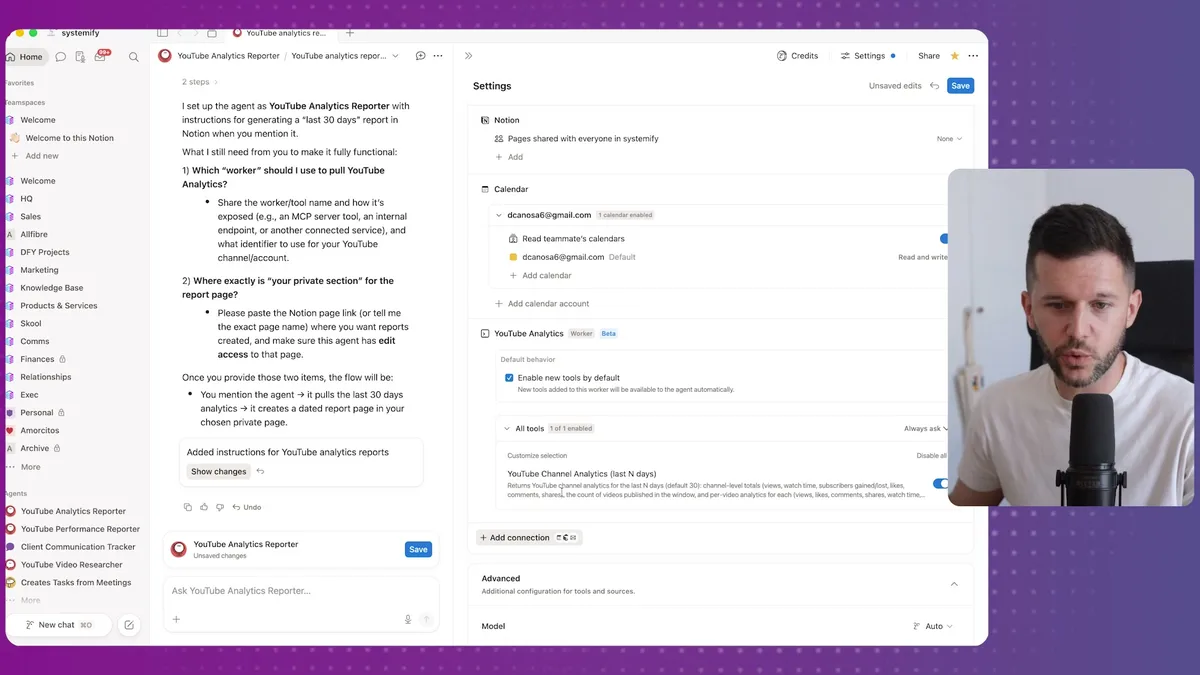
The Worker shows up here as a selectable tool.
You can attach multiple Workers to a single agent, each one handling a different task.
I ran the agent, and it produced a full executive summary with topline KPIs, content insights, and recommendations.
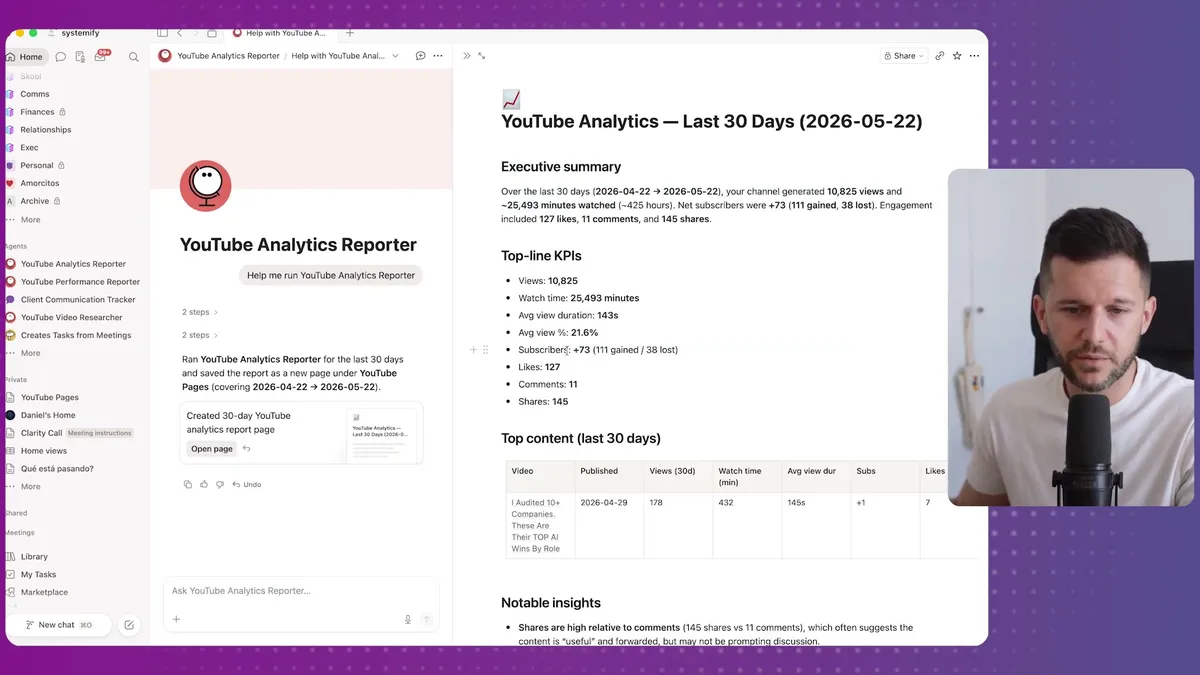
The result looks like this.
Views, watch time, subscriber changes, engagement data, and a breakdown of top performing videos.
All generated inside Notion automatically.
The credit comparison was stark.
The agent using the Worker: 7 credits per run.
The agent reasoning through everything without a Worker: 43 credits per run.
That is roughly six times more expensive for the same output.
At scale, across multiple agents and multiple runs per day, that difference becomes significant.
In my opinion, this is how I will build all my Notion agents going forward.
Not because Workers are easier to set up than Make.com, they are not.
But because the cost efficiency when paired with agents is hard to ignore.
One thing to bear in mind: if you want Workers to call external APIs like Stripe, YouTube, or anything else, Claude Code will need access to those API keys as well.
It will ask for them.
It will tell you how to get them if you do not have them already.
The only thing you have to do is provide them when prompted.
Frequently Asked Questions
Q: Do Notion Workers replace Make.com or Zapier? Technically yes, Workers can do everything a Make.com automation does because they are both just running API calls under the hood. But Workers have no visual interface, so for complex automations with a lot of conditions and data transformations, Make.com is still easier to manage, debug, and modify without coding experience.
Q: How much do Notion Workers actually cost to run? Workers run on Notion credits at $10 per 1,000 credits. Based on testing across different automation types, 1,000 automation executions per month costs roughly $2. The exact amount depends on what the Worker is doing, but since Workers run deterministic code rather than AI reasoning, they are significantly cheaper than token-based automations.
Q: Can a non-technical person set up Notion Workers? Yes, but you will need Claude Code to do it. The setup involves the terminal and the Notion CLI, which sounds scary but is basically copy-paste when you have Claude Code guiding the process. You do not need to understand the code it writes. The only prerequisite is having a Notion API key and being on the Business or Enterprise plan.
Q: Should I migrate my existing Make.com automations to Notion Workers? Honestly, no. If your automations are already running reliably in Make.com, there is no meaningful upside to moving them. You lose the visual interface, debugging becomes harder, and the cost savings are modest. The real value of Workers is in new automations built specifically to work as tools inside Notion AI agents, where the cost difference versus pure AI reasoning is substantial.
Ready to see where your business stands with AI and automation? Take our AI Readiness Scorecard to find out.
Get more like this in your inbox
AI implementation insights for service business founders. No fluff.