Notion · Business Systems
Social Media Management System in Notion: 3-Year Tested
Learn how to build a simple, sustainable Notion system for managing social media content. Real setup with proven results over 3 years.
Daniel Canosa ·
TL;DR: Build a social media management system in Notion around five stages: ideation, planning, production, delegation, and stats. Automate subtask creation when you schedule a release date, use synced blocks for consistent navigation, and delegate editing through webhooks. This system has been battle-tested for 3 years with real content.
Key Takeaways
- Every piece of content follows the same five-stage workflow: ideation, planning, production, delegation, and performance tracking. Consistency in the process creates consistency in output.
- Make idea capture as frictionless as possible. A two-tap mobile workflow prevents good ideas from being lost between meetings or commutes.
- Automated subtask creation triggered by a release date is the backbone of the system. The moment you schedule a video, all required tasks (script, record, edit, thumbnail, review) are generated with relative due dates.
- Delegation works best when automated. A button triggers a webhook that creates a Google Drive folder, reassigns the task, and emails the editor with everything they need.
- Start with the basic five-stage structure and add complexity only when you need it. This system took three years to evolve to its current state.
I've been running my YouTube channel for 5 years, helping companies set up systems for just as long, and I'm a Notion certified consultant.
So when I tell you I've found a social media management system that actually works, I mean it.
The system I'm about to show you has been battle-tested for 3 years.
It's not pristine or perfect, and I'm not going to clean it up for the screenshots.
This is exactly how it looks after years of real use, with actual data, not sample content.
The Foundation: Why Most Systems Fail (And How This One Survives)
Here's the thing about social media management: consistency is everything.
And consistency requires a system that doesn't break down after two weeks of use.
Most Notion setups I see are overcomplicated disasters waiting to happen.
They look beautiful in the demo, but they crumble under real-world pressure because they try to do too much.
My approach is different.
I built this around one core principle: every piece of content follows the same predictable workflow.
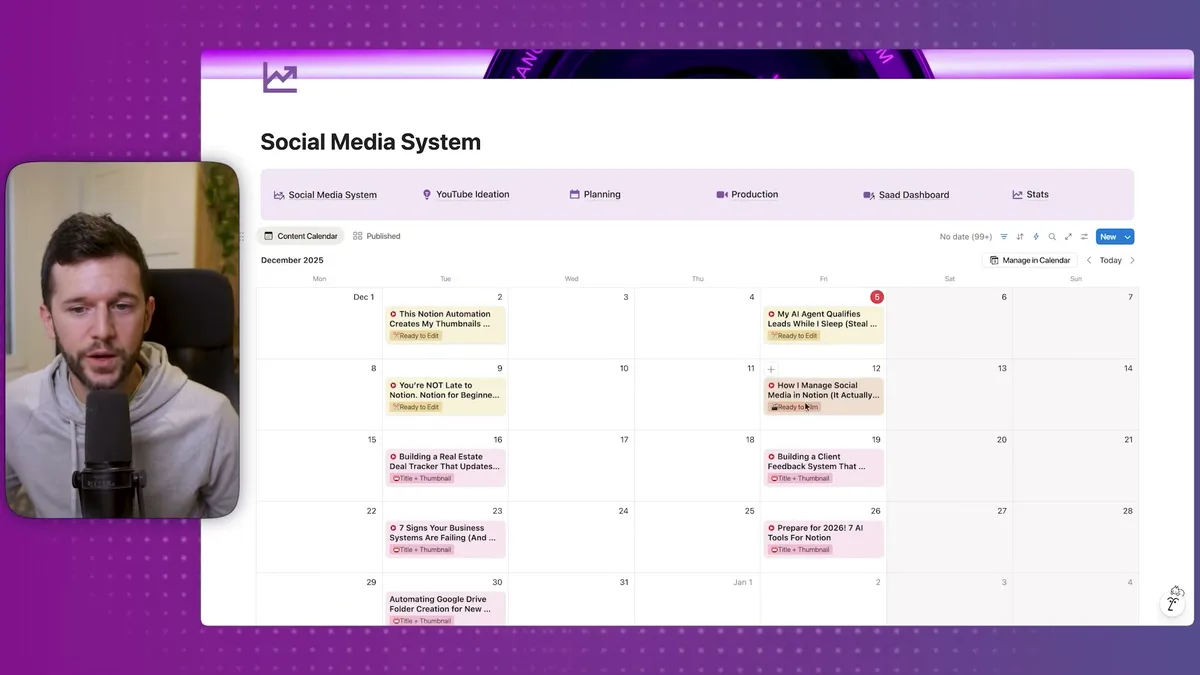
The main dashboard shows you everything at a glance.
My content calendar displays exactly where each piece sits in the pipeline.
Right now, I can see this video was "Ready to Film" when I recorded it, the previous video is "Ready to Edit," and future videos are still in the scripting phase.
The magic happens in the navigation structure.
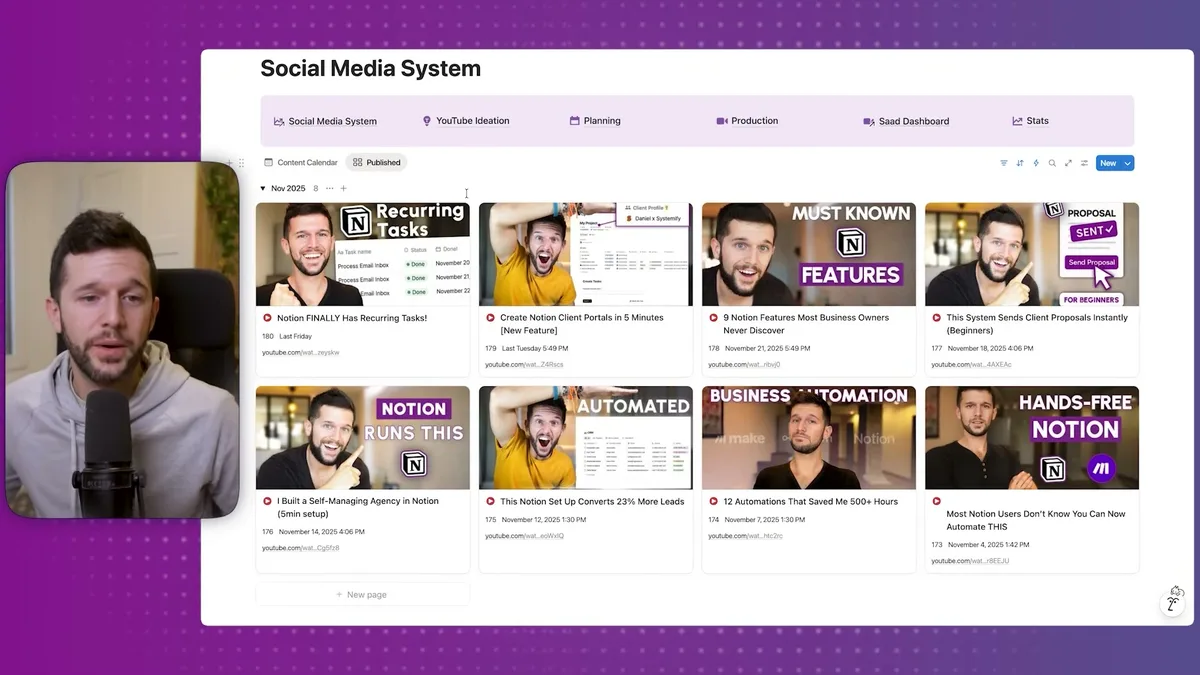
I use synced blocks to keep the same navigation across every page.
Change it once, and it updates everywhere.
This might seem like a small detail, but it's what keeps the system usable over years.
Every video follows the same five-stage process:
- Ideation - Capturing ideas as they come
- Planning - Scheduling when content goes live
- Production - Scripting, filming, editing
- Delegation - Handing off to team members
- Stats - Tracking performance
For other platforms like Instagram, TikTok, or email newsletters, you just use fewer steps.
But YouTube gives us the complete workflow that works everywhere.
The Workflow: From Brain Dump to Published Content
Let me walk you through how content actually moves through this system.
Everything starts with ideation.
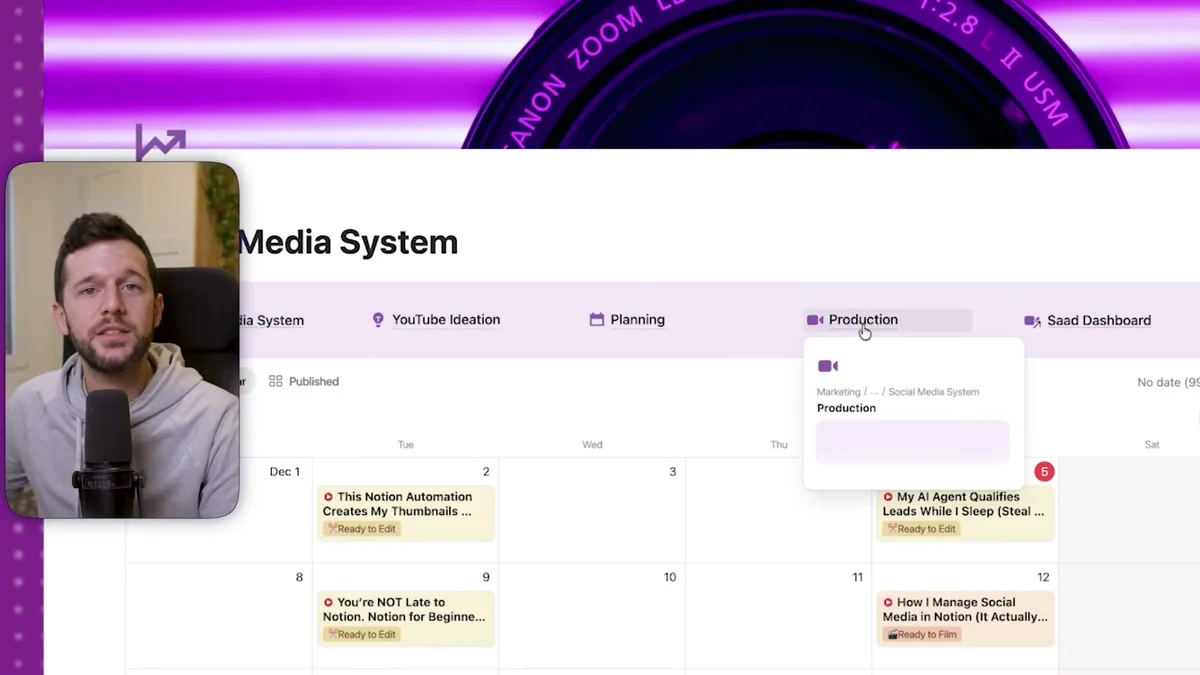
I currently have 184 video ideas in my system.
Honestly, maybe 30 of them actually make sense, and I'll delete the rest.
But that's exactly the point.
I want it to be ridiculously easy to capture ideas, because the worst thing is losing a good one.
When I'm on my phone and an idea hits, I can add it to the system in literally two clicks.
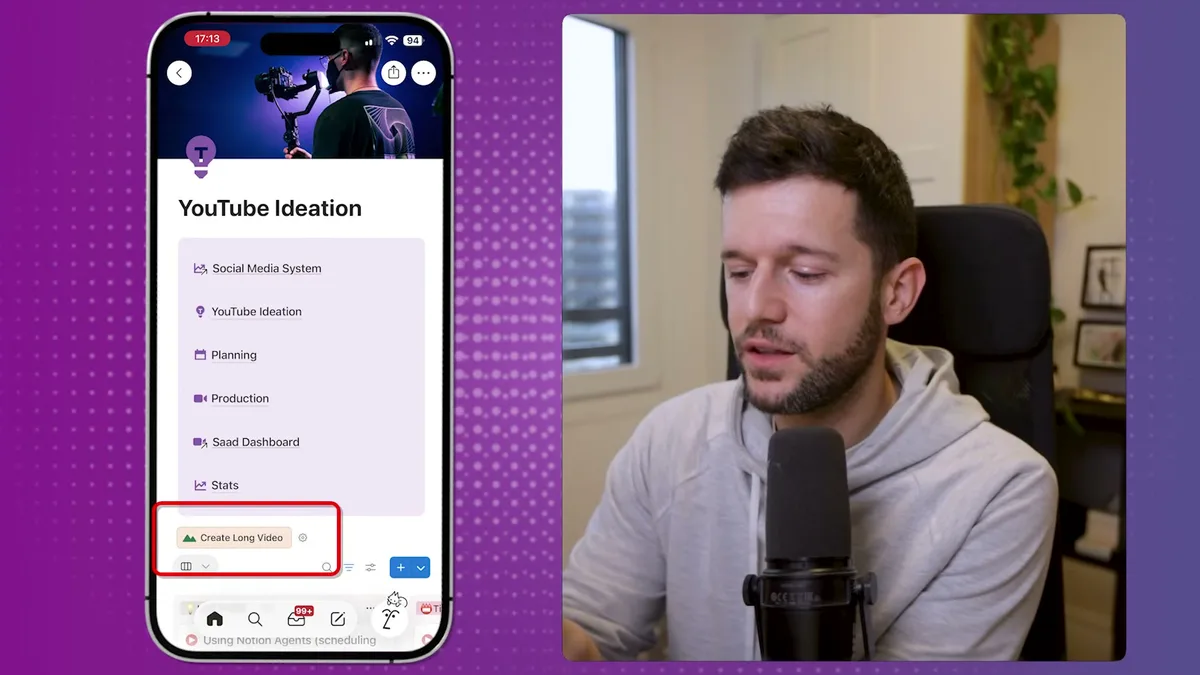
I scroll left to my YouTube ideation widget, tap the create button, type the idea, and forget about it.
It's in the system.
When I'm ready to fill my content pipeline, I go through these ideas and move the good ones through three stages:
- Idea Phase - Raw brain dumps
- Title and Thumbnail - Starting to refine the concept
- Ready to Script - Fully planned and ready for production
The second stage is YouTube-specific, but for other platforms, you just skip what doesn't apply.
Planning happens on a calendar view because I need to see the bigger picture.
I can see what's already scheduled and find the right spots for new content.
But here's where it gets interesting.
Each piece of content becomes its own project page with everything I need to execute.
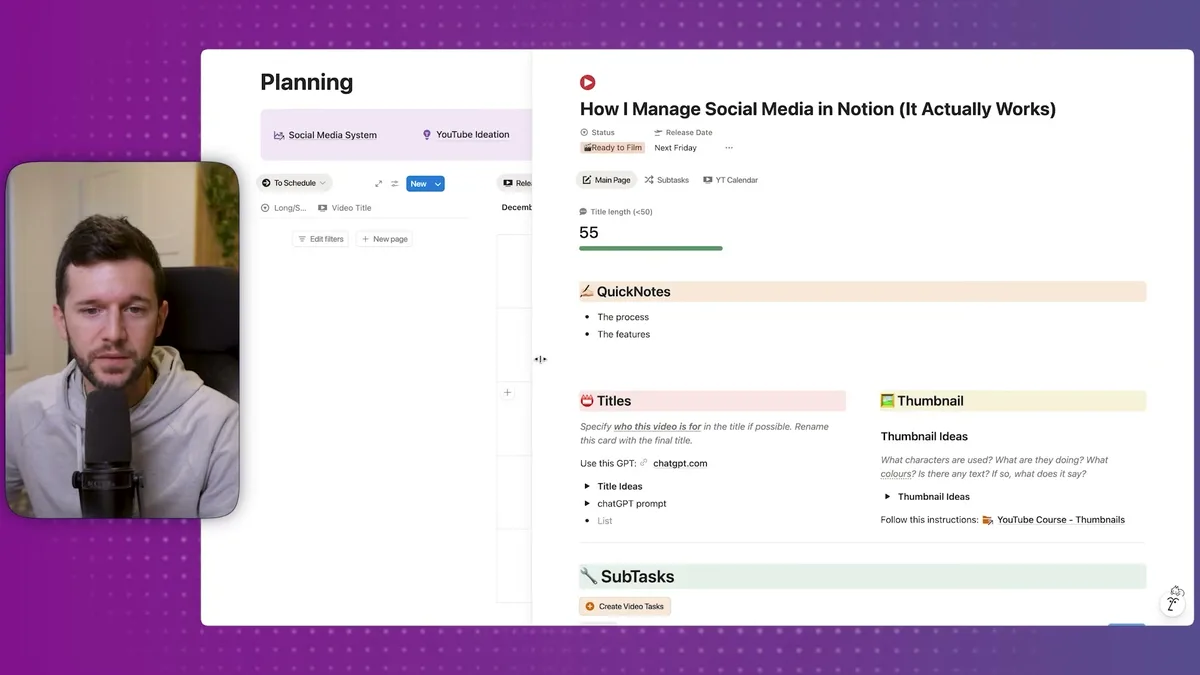
I have space for quick notes, and most importantly, automated subtasks.
When I schedule a video, Notion automatically creates five tasks for me: Script, Record, Video Take, Thumbnail, and Review.
This automation is the backbone of the whole system.
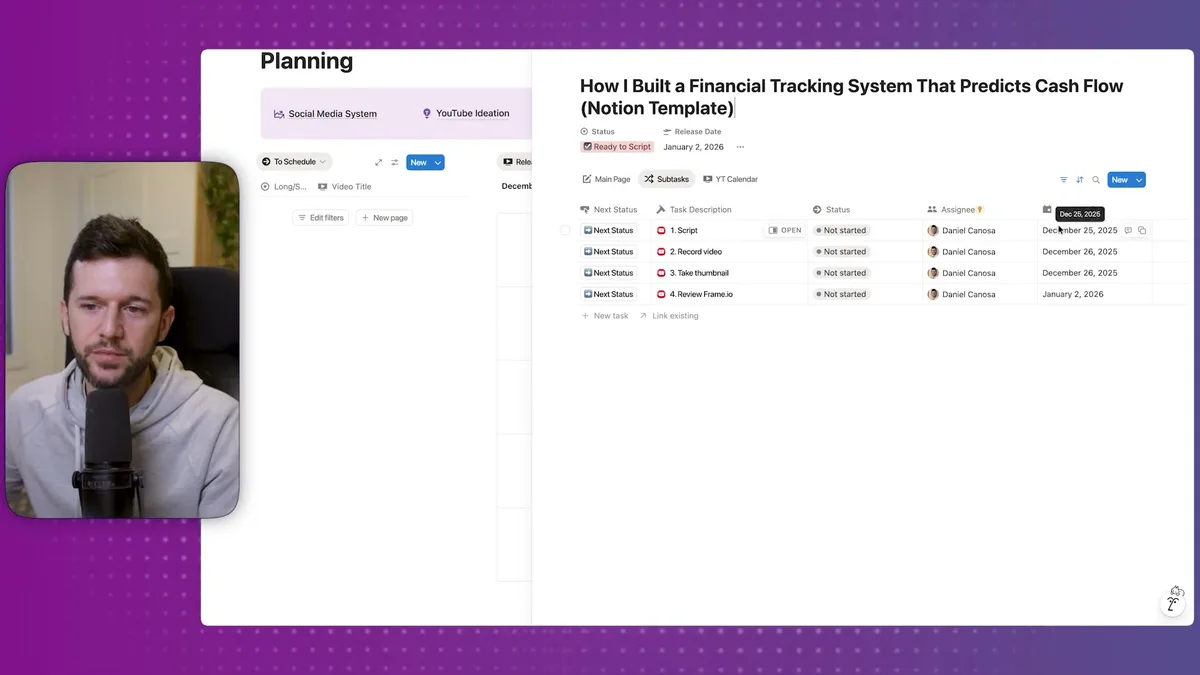
The moment I add a release date, it triggers a workflow that creates all the tasks I need, scheduled relative to that release date.
For example, if I'm releasing on January 2nd, the script task gets scheduled for December 25th (which happens to be Christmas, so I probably won't do it that day, but you get the idea).
Each task comes with its own structure.
When I open the scripting task, I see my complete template: marketing research section, goal definition, target audience, script structure with hook, body, CTAs, outro.
Everything is already there. I just fill in the blanks.
The Secret Weapon: AI Research and Team Delegation
Now here's where things get really interesting.
I've built an AI research workflow that helps me script better videos.
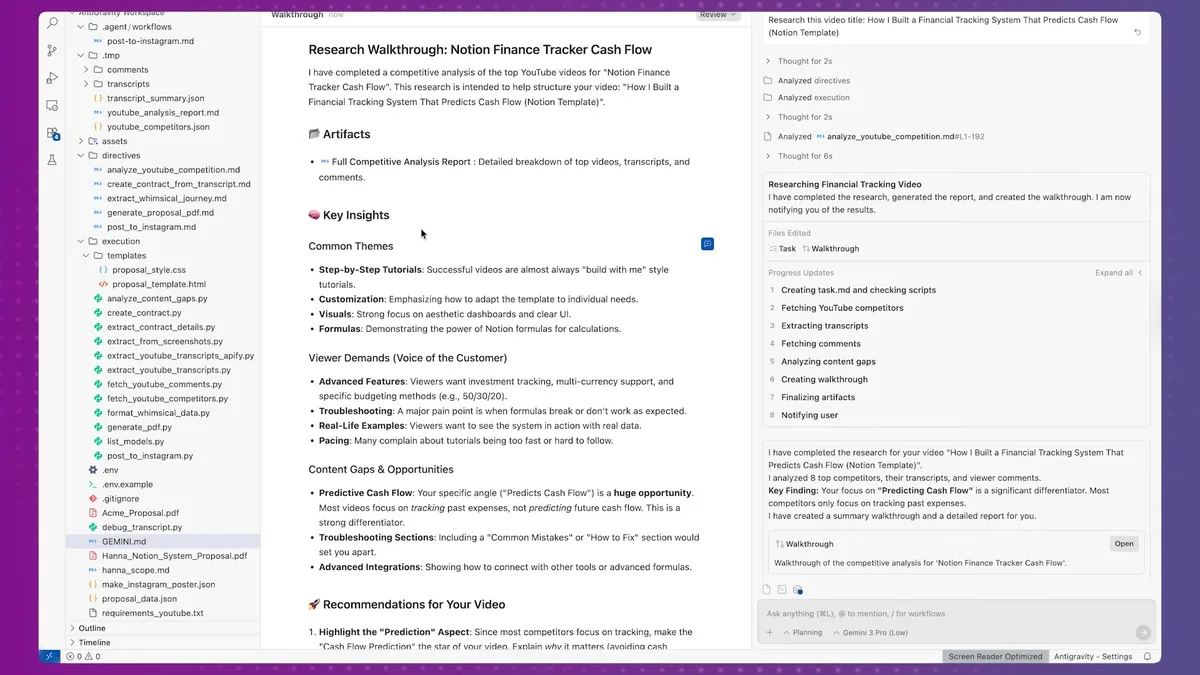
I copy my video title, send it to an automation I built with Zapier and Python scripts, and it goes to work.
The system finds the 10 most-watched videos with my keywords, reads their comments to identify content gaps, and gives me insights other creators missed.
In this example, it told me to highlight the prediction aspect, include a debugging section, slow down during complex parts, show real scenarios, and encourage community engagement.
This research runs while I keep working, which is the beauty of having AI agents.
But systems only scale when you can delegate.
My editor Saad has been with me for almost 4 years, and he has his own dashboard.
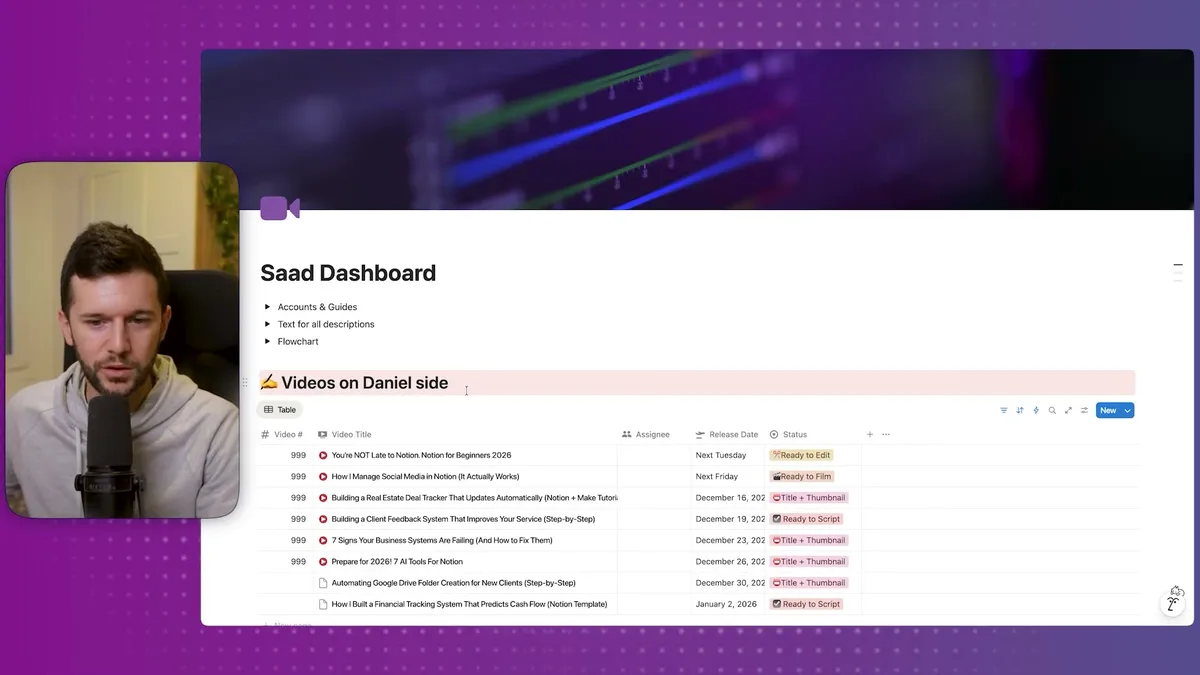
He can see which videos are coming, what the release dates are, which videos need editing, and which ones he hasn't been paid for yet.
When I finish filming, delegation happens automatically.
I click a button in the video's properties, which triggers a webhook to Make.com.
Make.com creates a Google Drive folder, moves the video to "Ready to Edit," assigns it to Saad, and emails him with the link and instructions.
He gets everything he needs without me having to remember anything.
The final piece is performance tracking.
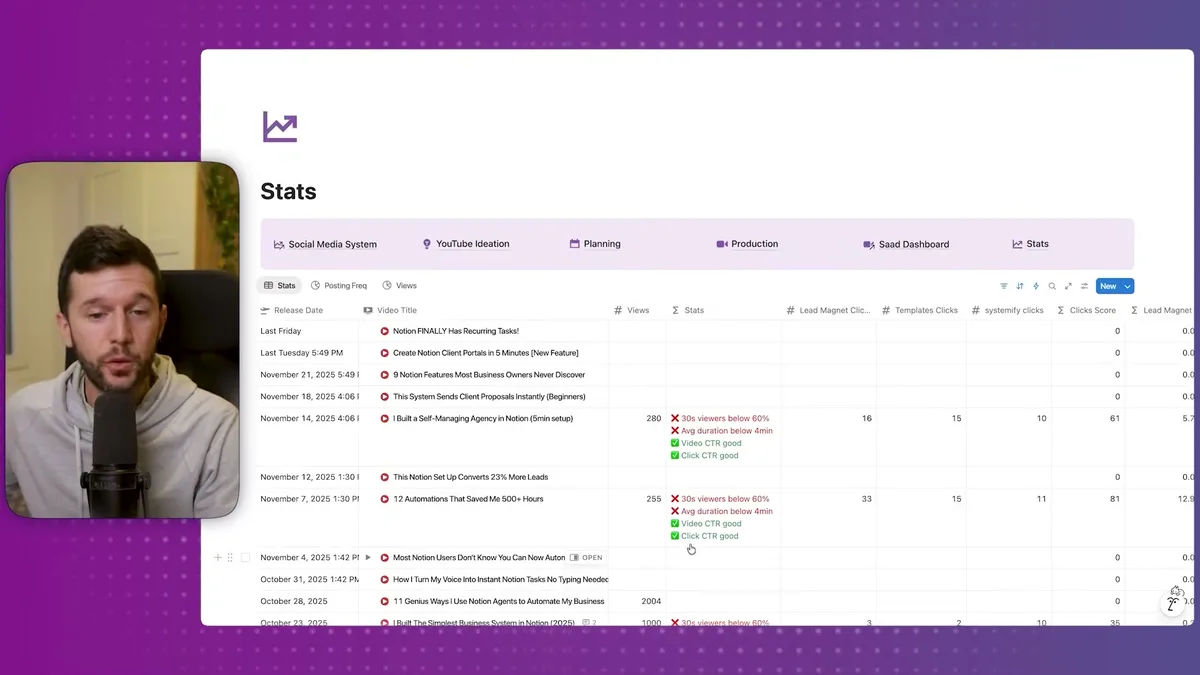
Honestly, I'm still building this part out, but I track views, click-through rates on my calls-to-action, and lead generation from each video.
I do this manually on purpose.
If I automated it completely, I'd lose the feeling of how well my content is performing.
The manual work keeps me connected to the results.
I've been using versions of this system for my entire 5-year YouTube journey.
The posting frequency chart shows I've been remarkably consistent, and that consistency comes from having a system that doesn't break down.
This isn't just theory.
I've tested this approach across different industries with my clients.
The structure works for Instagram, TikTok, podcasts, email newsletters, basically any content format.
You just adapt the steps to match your workflow.
The key is starting with something simple that you'll actually use, then adding complexity only when you need it.
Bear in mind, this system took three years to evolve to its current state.
Start with the basics: ideation, planning, production, delegation, measurement.
Everything else can come later.
Ready to see where your business stands with AI and automation? Take our AI Readiness Scorecard to find out.
Frequently Asked Questions
Does this Notion social media system work for platforms other than YouTube?
Yes. The five-stage structure (ideation, planning, production, delegation, stats) applies to Instagram, TikTok, podcasts, email newsletters, and other content formats. YouTube just requires the most steps, so it demonstrates the complete workflow. For simpler platforms, you skip the stages that do not apply.
How do you automate subtask creation when scheduling a video in Notion?
When you add a release date to a content piece, a Notion automation triggers and creates all required subtasks (script, record, edit, thumbnail, review) with due dates calculated relative to the release date. Each subtask comes with its own template and structure so you just fill in the blanks.
Should I automate performance tracking for social media content?
It depends on your goals. Keeping some manual tracking can be valuable because it forces you to stay connected to your content's performance. Fully automating stats collection risks creating a disconnect where you stop paying attention to what is actually working. Track the metrics that matter most to your business, and automate only the data collection that would otherwise be too tedious to maintain.
Get more like this in your inbox
AI implementation insights for service business founders. No fluff.